 Dolphy Docs
Manage conversations in one place
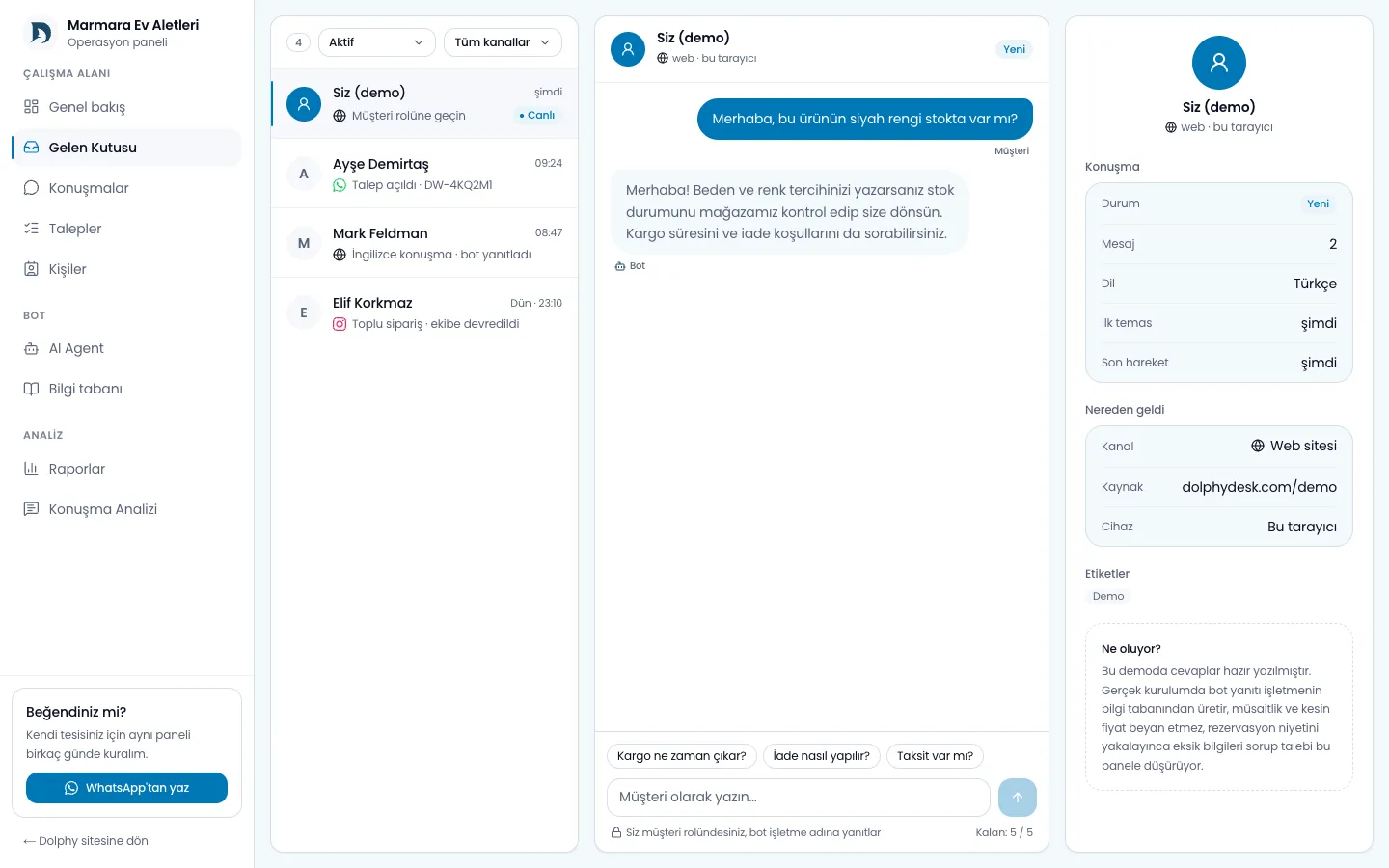
The unified inbox brings web, WhatsApp, Instagram and Messenger conversations into a shared operations view. A channel badge identifies the source, while history, contact details and created requests can be reviewed in the same context.
Daily work
The team can filter new or unread conversations, open a thread to inspect customer history and take over the reply. Conversations handled by the agent remain visible; automation does not remove the operational record.
Conversation details can include a customer summary, request status and team notes. When a person writes through different channels, identities are linked only as far as platform data safely permits. A similar display name alone is not proof of the same person.
Human handoff
Handoff can be used when the customer explicitly asks for a person, evidence is insufficient, a sensitive decision is required or a tool operation fails. Agent sending stops when the team takes over, and the representative continues on the same channel; the customer sees they are now talking to a person. Automation should resume only through a state the team controls.
Operational signals
Unanswered questions, recurring handoff reasons and pending requests are inputs for improving knowledge and workflow. Do not judge a conversation as successful merely because it was closed; review whether the customer's goal was met.