 Dolphy Docs
Prepare the knowledge base
Dolphy's answer quality depends on the clarity and freshness of the sources it can reach. Adding knowledge does not retrain a model; it turns content into searchable passages.
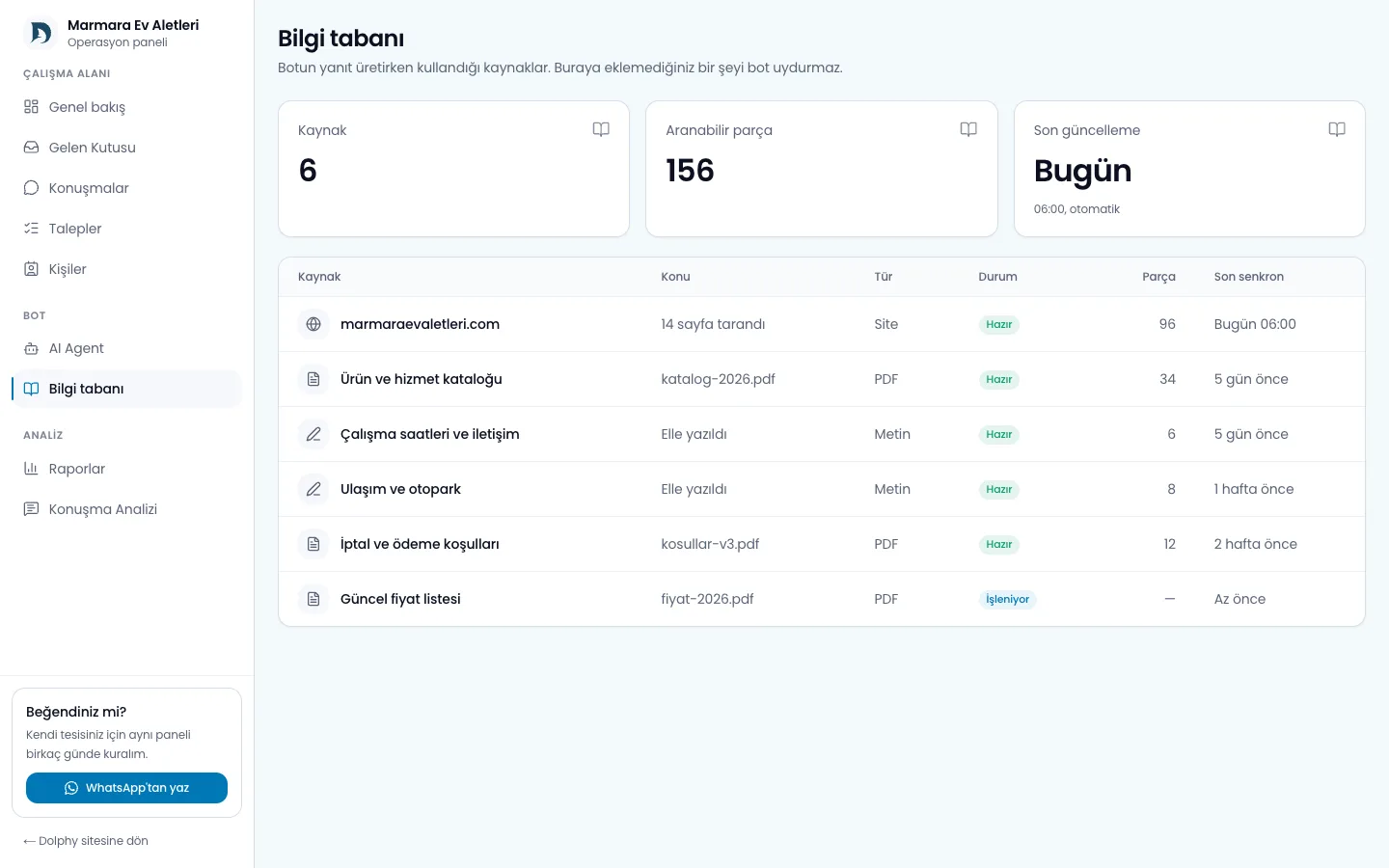
Choose a source type
- Website: Good for regularly synchronising product, service, policy and FAQ pages.
- Text: Use for short, precise business facts that do not live on another page.
- File: PDF, DOCX, XLSX, CSV, Markdown and plain-text documents are useful for catalogues and procedures.
A crawl does not need to index the whole site. Begin with canonical pages that contain information customers ask about. Tag archives, print views and parameterised copies add noise.
Write sources for retrieval
Headings should state what their section explains. Keep currency next to prices, time zone next to hours and eligibility next to a policy. When uploading a table, preserve meaningful column headings in the first row; they keep context when long tables are split.
When a fact changes, do not add a new copy and leave the old source active. Update the existing source or remove the obsolete one. Once processing finishes, test again using the words customers naturally use.
Status and failures
A source may be queued, processing, ready or failed. Partial output from a failed document should not be treated as a successful source. Correct the file type, encoding or size and upload it again. For password-protected or image-only documents, providing an accessible text version is more dependable.
Crawling and limits
The “crawl the whole site” option takes a page count. The default is 25 and the ceiling is 500 pages. Above 60 pages the panel shows an estimate of time and cost; a large crawl should not be started without a reason.
Crawling also works for sites other than your own. When a source becomes unreachable, automatic refresh is held back for 24 hours so it cannot flood the work queue.
The knowledge base is split into seven section boxes. These are not sector-specific categories in the code; they are labels that spread indexing across the parts of your business, and only the sections you fill are searched.
Fill in section by section
For text, question-answer and short-fact sources, the model does not write a draft. You write the fact; the model only tidies the language and order, and it is added to the source after you approve it. Polishing can be produced 30 times a day.
Check the answer yourself
The knowledge base includes a retrieval test: type a question and see which passages come back and with which similarity scores. This is where the cause of a wrong answer usually is. Twenty searches per day are available.
You can also ask the model to audit its own sources: outdated prices, two sources contradicting each other, or a page that is only navigation text. This audit runs 3 times a day on at most 25 sources, and only when you press the button.
Read Knowledge pipeline for the technical flow.